SmartTruckRoute 2 Nav & IFTA
- 4.1
- Rating
- 100.00K
- Installs
- Free
- Price
 Analysis by App-foxy
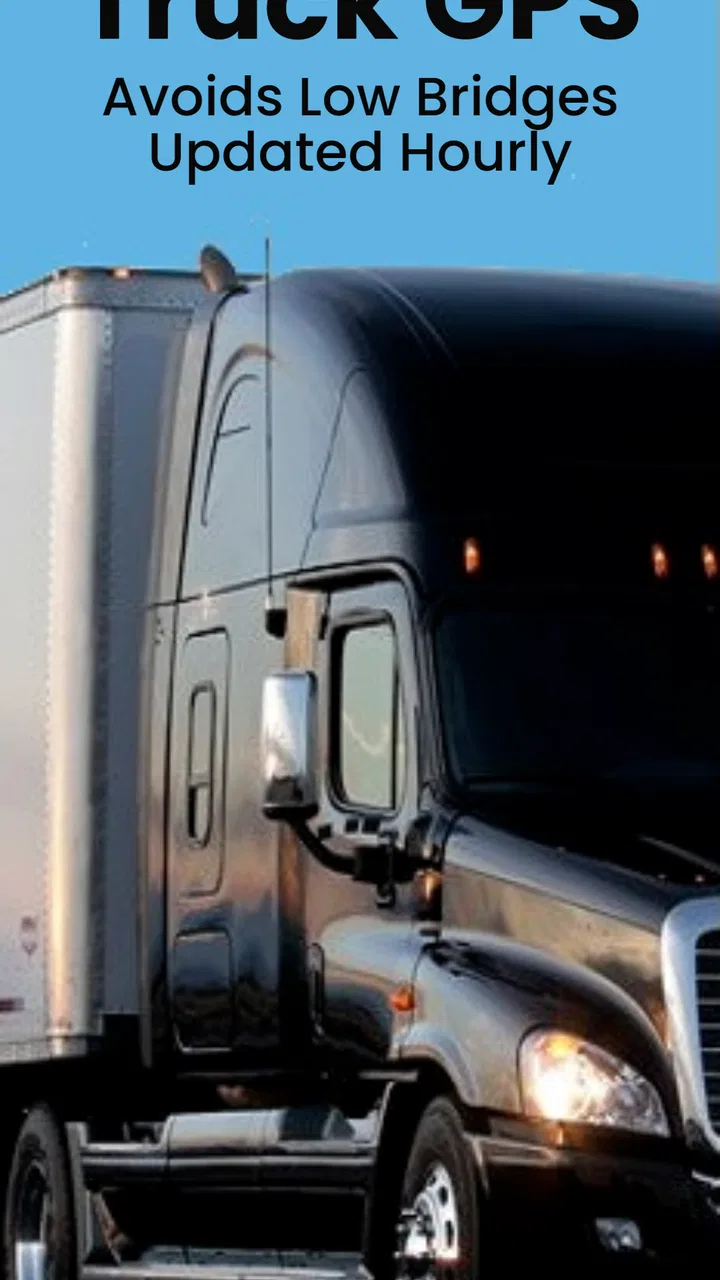
I look at truck-navigation apps differently from ordinary driving maps. A wrong turn in a car is usually an inconvenience; a route that sends a commercial vehicle toward a low bridge, a restricted road, or an unsuitable local street can become a much bigger problem. That is why I approached SmartTruckRoute 2 Nav & IFTA as a working tool rather than just another map with a large vehicle icon.
My overall impression is that this free Maps & Navigation app is aimed at drivers who need routing decisions to reflect the realities of trucking. It comes from SmartRouting, has an average rating of 4.1 from around three thousand ratings, and has passed the point where it feels like an obscure experiment, with over one hundred thousand installs. Those figures do not prove that every route will be perfect, but they do suggest that the app has found a real audience among people looking for more than ordinary turn-by-turn directions.
The main reason to consider it is straightforward: it focuses on truck routes, live traffic, and IFTA-related work in one place. The more important question is whether that focus fits your own driving routine and how carefully you are willing to check the app before trusting it with a difficult delivery. In my experience, it is most useful when treated as a planning assistant that helps me avoid obvious commercial-vehicle problems, not as a substitute for judgment, posted signs, dispatch instructions, or current road conditions.
You May Also Like

 Blood Strike: 2.5 Anniversary
Blood Strike’s Loadouts Turn Every Drop Into a Tactical Gamble
A close look at Blood Strike’s custom loadouts: how fast access to signature weapons reshapes its battle royale rhythm, rewards preparation, and narrows the gap between fights.

 Pandora - Music & Podcasts
Pandora’s Music Is Easy to Start, but Harder to Recover
Pandora’s strength is its low-effort path from a seed to a station. Its weak spot is how much confidence it asks you to place in connection, setup, and quiet recovery.

 8 Ball Pool
 Is Built on Rivalries, Rematches, and Routine
A close look at the rivalries, rematches, shared routines, and unanswered safety questions that turn a quick pool match into a persistent mobile community.

 Samsung Music
’s Quiet Strength Is Playing What You Already Own
Its reach comes less from spectacle than from dependable access to a personal library. That simplicity is both the app’s strongest retention engine and its ceiling.

 AccuWeather: Weather Radar
AccuWeather Review: A Quick, Clear Forecast for Everyday Decisions
For everyday plans, the best forecast is the one you can understand quickly. AccuWeather makes rain timing, radar, and local conditions easy to act on, with a few trade-offs.

 Hill Climb Racing
Why Hill Climb Racing Still Turns Crashes Into One More Run
A tiny car, a bumpy hill and one more upgrade: Hill Climb Racing keeps resurfacing because its simple chaos makes every near-miss feel personal.
More From Our News Desk



What kind of trust can a truck driver place in it?
I use trust in a truck-navigation app as something earned route by route, not something granted because the screen looks confident. In this section, I’ll focus on how I would test its recommendations against a familiar run and keep responsibility with the driver. That baseline matters before looking at the settings that shape those recommendations.
A specialized purpose is more useful than a familiar interface
Many general navigation apps are excellent at finding the fastest route for a passenger car. That is not the same task as finding a sensible route for a truck. Vehicle height, weight, road restrictions, and the practical difficulty of turning or stopping all change the meaning of “fastest.” SmartTruckRoute 2 is built around that difference, which gives it a clearer purpose than a standard map app used with a generic vehicle setting.
I particularly value the fact that its purpose is visible from the start. The app is not trying to be a social platform, a broad travel guide, or an entertainment product. Its role is navigation for trucks, with traffic information and IFTA support included in the same experience. That narrower scope makes it easier to decide whether it belongs in a professional workflow: if you drive commercially, the fit is obvious; if you mainly drive a family car, it is probably unnecessary.
The age rating is Everyone, and the app runs on Android devices using version 6.0 or later. That broad compatibility is helpful for drivers who keep an older phone in the cab as a dedicated navigation device. At the same time, an older operating system does not automatically mean an older phone will perform well under every condition. Screen brightness, GPS stability, battery health, and the quality of the phone mount still matter when the device is used for long shifts.
The developer and the business model deserve a practical look
SmartRouting is the developer behind the app. It is free to install, which lowers the barrier for trying it on a short route before making it part of a daily routine. The app also includes in-app purchases ranging from $15.99 to $199.99 per item. That is a wide enough span that I would not make assumptions about what is included at each level. I would inspect the purchase screen carefully and confirm whether a particular tool is a one-time purchase, a service period, or an optional upgrade before paying.
This is one of the first trust tests I would apply to any navigation app: can I understand what I am getting before I commit money or depend on it? A free download is useful, but the real value depends on how clearly the app explains its paid choices. For a driver, unclear purchasing is more than a minor annoyance because navigation and fuel-recording tools can become part of a business routine. I would test the core workflow first, then decide whether an additional purchase genuinely saves time.
The current version is 4.2.20260727_932. I would keep the app updated when possible, while also avoiding an update immediately before an important trip unless I have time to open the app, check the settings, and confirm that my usual workflow still behaves as expected. Navigation software is not something I like to change blindly on the morning of a delivery.
What I would verify before the first serious trip
Before relying on the app for a difficult haul, I would enter a familiar destination and compare the proposed route with the roads I already know. This is not about expecting the app to reproduce my preferred path exactly. It is about checking whether the truck profile, route preferences, and displayed restrictions appear to match the vehicle I am actually driving.
I would also look at the route before moving, rather than accepting the first suggestion automatically. A route can be legal yet still be awkward for a particular trailer, loading site, or delivery entrance. The app can help me notice major problems, but it cannot know every temporary instruction from a warehouse, every private access rule, or the exact space available at a customer’s gate.
That simple pre-trip comparison is one of the most useful habits with this kind of tool. It builds familiarity with how SmartTruckRoute 2 presents decisions, and it gives me a chance to catch an incorrect vehicle setting before the route matters. The safest use is a review-and-confirm workflow, not a press-and-follow workflow.
Controls, sensitive moments, and everyday use
I find that the most sensitive moments are not only turns and reroutes; they include changing vehicles, checking trip details, and deciding what information to enter. Here, I’ll look at a steady routine for handling those choices without adding unnecessary steps. Once that routine is clear, it becomes easier to build faster habits without rushing decisions that affect a truck’s route.
Vehicle details are the controls that matter most
For truck routing, the most important user choices are the details that determine whether a road is suitable. I would pay close attention to any place where the app asks me to define or adjust the vehicle. A height limit that is wrong by a small amount can change the safety of an entire route, while an incorrect weight or vehicle type can make a recommendation less relevant to the load I am carrying.
I would review those details whenever I change vehicles, attach a different trailer, or take a load with unusual dimensions. This is a less obvious but important trade-off: a specialized app can make better recommendations than a regular map, but only when the information guiding those recommendations is accurate. The app cannot compensate for a stale profile.
I would also avoid treating a route marked as suitable as permission to ignore road signs. Restrictions can change, signs can be temporary, and local instructions can override a digital suggestion. When I see a conflict between the screen and the road, the road wins. That sounds obvious, but it is exactly the kind of discipline that prevents convenience from turning into overconfidence.
A realistic delivery-day workflow
Imagine I am leaving a distribution site with a loaded truck and a delivery scheduled across town during a busy period. I would enter the destination while parked, confirm the vehicle information, and check the suggested path before pulling away. If live traffic indicates a delay, I would compare the alternative route rather than changing direction at the last second. For a truck, an alternative that looks shorter may include tighter turns, less comfortable stopping opportunities, or roads that are technically passable but poor choices for the vehicle.
During the drive, I would use the traffic information as an early warning rather than a command. If congestion develops, the app may help me see that a delay is forming, but I would still consider whether the reroute is appropriate for my truck and delivery time. This is where the app’s truck-focused purpose is more useful than a normal car-navigation app, but it is also where the driver’s judgment remains essential.
After delivery, I would use the IFTA-related part of the workflow while the trip details are still fresh. Keeping fuel and mileage information organized can be easier when it is connected to the same driving routine, but I would still review entries before relying on them for business records. A navigation tool can reduce manual work; it should not encourage me to skip a basic check of dates, routes, fuel stops, or jurisdiction details.
IFTA support is valuable when it reduces repetition
The IFTA angle is one of the app’s more practical distinctions. Drivers and small fleets often have to turn ordinary travel into organized records, and having navigation and fuel-tax work near each other may reduce the need to reconstruct a trip later. The benefit is not flashy. It is the quieter advantage of keeping a routine in one place instead of scattering it across memory, paper notes, and separate apps.
My advice would be to create a repeatable habit: review the trip when parked, check the fuel information after a stop, and avoid waiting until the end of a busy week to remember what happened. That workflow is especially useful for owner-operators who handle their own administration. It may be less compelling for a larger fleet that already has a dedicated compliance system and does not want drivers entering the same information twice.
This is also an area where user control matters. I would want to know exactly which records I am creating, what can be edited, and how easily I can correct a mistake. If a fuel stop was entered incorrectly or a route changed because of a closure, I would rather fix the record immediately than assume the app has interpreted the trip exactly as I intended.
Live traffic helps, but it changes the way I plan
Live traffic is most useful when I check it before a route becomes urgent. I prefer to look at the expected congestion while parked, identify a reasonable primary route, and then keep an eye on significant changes. This gives me more control than waiting for a sudden instruction while approaching a junction.
The trade-off is that traffic-aware routing can tempt drivers into constant switching. For a truck, frequent rerouting is not always an improvement. A slightly slower main road may be preferable to a series of unfamiliar streets, especially near a delivery location. I would use traffic updates to question a plan, not to chase every small time saving.
Another practical tip is to distinguish between a route problem and a destination problem. The app may guide me correctly to an address, but the final entrance could be unsuitable for a large vehicle. I would contact the site when necessary and confirm the truck entrance separately. This is a concrete limitation of digital navigation generally, and it is worth remembering even when the route itself has been designed for trucks.
Data-sensitive moments deserve deliberate choices
Navigation naturally involves location information, and I would treat every request or setting related to location, traffic, accounts, and records as something to review rather than accept automatically. I would look at the wording on each permission or setup screen, choose only what is needed for the feature I am using, and revisit those choices if my use of the app changes.
I would be especially careful when combining daily navigation with IFTA-related records. A driver may be comfortable sharing location while actively navigating but may prefer tighter control when the trip is finished. The useful question is not simply whether an app is convenient; it is whether I understand when information is being used and whether I can make sensible choices around that use.
I would also avoid entering unnecessary personal details into any navigation tool. If an account is required for a particular function, I would use the minimum information needed and keep login details protected on a shared cab device. A phone used by several drivers deserves extra attention: screen locks, account separation, and checking which profile is active can prevent one person’s routes or records from being mixed with another’s.
Who should use it, and who should choose something else?
I think SmartTruckRoute 2 is a strong candidate for independent truck drivers, small operators, and anyone who wants truck-aware navigation with traffic and IFTA-related work in the same app. It is also worth considering as a secondary tool for a driver who already has a primary system but wants a different view of a difficult route.
I would be more cautious about recommending it to someone who only drives a car. The truck-focused features may add complexity without solving a real problem. I would also hesitate if a company requires a tightly managed fleet platform, centralized dispatch, or a specific compliance process. In that situation, the better choice may be the system the fleet already supports, even if this app looks more convenient for an individual driver.
General navigation apps can still be better for walking directions, local points of interest, public transit, or a quick personal trip. SmartTruckRoute 2 is not trying to win those comparisons. Its value is concentrated in commercial driving, where avoiding unsuitable roads and keeping trip-related work together matters more than having the broadest consumer map experience.
My cautious verdict after weighing the trade-offs
I see SmartTruckRoute 2 Nav & IFTA as a focused tool with a sensible reason to exist. Its truck-routing purpose, live traffic, and IFTA support address problems that ordinary navigation often handles poorly. The free entry point makes it practical to test, and the Everyone rating plus support for Android 6.0 or later make it accessible to drivers using a range of devices.
Still, I would not hand over every decision to it. The quality of the result depends on accurate vehicle details, careful route review, current road signs, and sensible handling of records. The in-app purchase range also means I would examine the available options before assuming that every useful function is included without extra cost. Those are not reasons to reject the app; they are reasons to use it with a clear process.
My recommendation is to install it, test it on routes I already know, and gradually introduce it into real work after checking how it handles my truck profile and IFTA routine. If it saves me from unsuitable roads and reduces repetitive record keeping, it earns a place in my toolkit. If I mainly need car navigation or my employer already provides a complete managed system, I would skip it and keep my setup simpler.
In short, I would recommend it to the right driver, not to everyone. Its trustworthiness comes from informed use: check the controls, understand the sensitive moments, and keep the final responsibility with the person behind the wheel. That approach lets the app do what it is best suited for without pretending that a digital route can replace professional judgment.
FAQs for SmartTruckRoute 2 Nav & IFTA
01What is SmartTruckRoute 2 Nav & IFTA, and who is it designed for?
SmartTruckRoute 2 Nav & IFTA is a commercial truck navigation and trip-management app designed for professional drivers, owner-operators, and small trucking fleets. It helps plan routes based on truck restrictions, supports turn-by-turn navigation, and includes tools for recording mileage and fuel information for IFTA reporting. It is more specialized than a standard car-navigation app because it considers vehicle dimensions and commercial-road requirements.
02Does SmartTruckRoute 2 provide truck-specific navigation and avoid restricted roads?
Yes, the app is built around truck-focused routing rather than ordinary passenger-car directions. Before starting a trip, drivers can enter important vehicle details such as height, weight, length, and other applicable restrictions. The app then attempts to recommend suitable roads and warn about limitations. However, drivers should still watch road signs and verify local restrictions, since construction, temporary closures, and inaccurate map data can affect any navigation service.
03Can the app help with IFTA mileage and fuel tracking?
SmartTruckRoute 2 includes features intended to support IFTA-related recordkeeping by helping drivers track trip mileage, fuel purchases, and travel across jurisdictions. This can reduce the amount of manual work involved when preparing reports. It should not be treated as a replacement for reviewing receipts or maintaining legally required records. Drivers and carriers should confirm that the collected information meets their state or provincial reporting requirements before filing.
04Does SmartTruckRoute 2 work without an internet connection?
The app may offer offline or limited-connectivity support depending on the selected maps, subscription plan, and device settings, but users should not assume that every feature works fully offline. Route calculations, traffic information, map updates, and certain online services may require a data connection. It is wise to download or prepare maps before entering areas with weak coverage and to keep a backup route or navigation method available during long-haul trips.
05Is SmartTruckRoute 2 free to download, and are there additional costs?
The application may be available to download at no initial cost, but advanced navigation, truck-routing tools, traffic data, IFTA functions, or other professional features can depend on a subscription or in-app purchase. Pricing and included features may vary by platform, region, and plan. Before committing, review the current listing and subscription terms carefully, especially renewal conditions, trial periods, and whether the app supports the number of vehicles or drivers you need.
Pros
- Truck-specific routing considers vehicle size
- weight
- and hazmat restrictions.
- IFTA mileage tracking helps simplify fuel-tax reporting across jurisdictions.
- Live traffic updates can help drivers avoid delays and improve arrival estimates.
- Route planning supports multiple stops for more efficient delivery schedules.
- Clear navigation guidance is useful on long-haul routes and unfamiliar roads.
Cons
- Some advanced routing and IFTA features may require a paid subscription.
- Map accuracy can vary in rural areas or on recently changed roads.
- Continuous GPS use may noticeably reduce battery life during long trips.
- The interface may feel crowded for drivers who prefer simple navigation apps.
- Reliable mobile data is needed for many live traffic and route features.

SmartTruckRoute 2 Nav & IFTA
Gallery